Table Of Contents
Introduction Link to heading
Like many developers, my approach to software development has changed a lot with the rise of AI. However, whenever I am using a library, I notice that the quality of AI Coding Agents drops. Deprecated or old ways of working are used, code is generated that doesn’t flow nicely with the code around it, etc.
But the main problem is that often, the model just doesn’t really know what to do with the library. For example, let’s say you installed a library to help you write better tests for a specific part of your system. In my case, I was using
Mockly by
Dennis Doomen to make testing HttpClient code easier. But even though I installed that library, the agent didn’t use it, opting instead for a more verbose technique.
This makes sense. The dataset of the model probably doesn’t contain the latest information about the library. Another reason is that AI tries to write code similarly to existing code, so the more you use agents to write code, the more “incorrect” code is generated and the (new version of the) library gets ignored.
In this post, I’ll discuss several approaches I have found helpful to deal with this problem. But most importantly, I want to talk about a powerful concept I’ve not seen a lot of people talking about, which is shipping Agent Skills together with your library. I saw Daniel Cazzulino talking about this method on Twitter for the StructId library, and I discussed it with Mockly’s maintainer who then adopted it too. Since then, my agents have gotten noticeably better!
Here’s the part I find most exciting, and the reason for the title: in .NET, you can ship that skill inside the NuGet package itself. When a developer adds your library, the skill installs into their repository automatically. No plugin to discover, no extra command, nothing to remember. We’ll build up to that, but first let me cover what a library consumer can reach for today.
Teaching Agents About Your Dependencies Link to heading
As a consumer, you have a few ways to give an agent better information about a library you’ve installed. Each one helps, and each has a catch:
| Approach | What it does | Why it’s not enough |
|---|---|---|
| Context7 | Indexes a library’s docs and serves them to the agent | Docs can be stale or missing (it has nothing for Mockly), it eats a lot of context, and you’re trusting a 3rd party to inject instructions into your agent |
AGENTS.md rules | Tell the agent to prefer installed libraries, or to web search their docs | Manual to maintain, and the web searches make the agent slower and burn tokens |
| dotnet-inspect | Decompiles the library so the agent can read its real API (also bundled with Aspire’s Agent Integrations) | Slow; most tasks don’t need a full decompile |
| Write a skill yourself | A focused skill the agent loads when it touches the library | Works well, but every consumer writes and maintains their own copy |
That last row is the clue. If a skill is the right tool, why should every consumer write the same one? The library author already knows how their library should be used, so they can write the skill once and everyone shares a single definition. But how do you ship it?
One option is the plugin systems of agents like GitHub Copilot and Claude Code. But that doubles the work: the consumer installs the library and the plugin, and they can forget the plugin or never learn it exists.
There’s a better way.
Shipping Agent Skills Together With Your Library Link to heading
If a library author already knows how their library should be used by an agent, why should that knowledge live in a separate plugin you have to find and install? It should come along with the package. When you add the library, your coding agent immediately has the right instructions. No web search, no decompilation, no separate plugin to remember.
Libraries already ship human-readable READMEs for developers. This is the same idea, aimed at AI coding agents instead.
So how does this work? You pack a SKILL.md file into your library, together with instructions on where the build/install system should store the skill. In .NET, we’d use the buildTransitive .targets file.
If you’re not a .NET developer: a NuGet package is the standard way to distribute .NET libraries, and a .targets file is an MSBuild file that can run extra steps during a build. Here, the extra step is conceptually simple: copy the Agent Skill to the right place in the repository that’s consuming your library.
Here’s what the package looks like, conceptually:
YOUR_LIBRARY.nupkg
|- lib/...
|- buildTransitive/YOUR_LIBRARY.targets
+- skills/YOUR_LIBRARY/SKILL.md
+- skills/YOUR_LIBRARY/.gitignore
Your project file (*.csproj) tells NuGet to include those files in the package:
<ItemGroup>
  <!-- The Agent Skill with usage instructions for your library -->
  <None Include="PATH/TO/SKILL.md" Pack="true" PackagePath="skills/YOUR_LIBRARY/SKILL.md" />
  <!-- The gitignore that consumers have to add to their project so package updates with skill changes don't trigger changes in git -->
  <None Include="skill.gitignore" Pack="true" PackagePath="skills/YOUR_LIBRARY/.gitignore" />

  <!-- Instructions for the build system to copy the skill into your project -->
  <None Include="YOUR_LIBRARY.targets" Pack="true" PackagePath="buildTransitive/YOUR_LIBRARY.targets" />
</ItemGroup>
Then the .targets file runs during the build and copies both the skill and a .gitignore into the consumer’s repository. It tries to find the repository root through git metadata first, then falls back to the solution directory, and finally to the nearest AGENTS.md:
<Project>

  <!--
    Copies SKILL.md and .gitignore from this package to .agents/skills/YOUR_LIBRARY/ in the consuming repo root.
    Uses InitializeSourceControlInformation (SourceLink) to locate the repo root.
    Falls back to SolutionDir if the git root cannot be determined.
    Falls back to the directory containing the nearest AGENTS.md file found above the project file.
    Silently skips if the base directory cannot be determined.
    Opt-out: set <EnableEmbeddedAgentSkills>false</EnableEmbeddedAgentSkills> in your project or Directory.Build.props.
  -->
  <Target Name="CopyEmbeddedAgentSkill"
          BeforeTargets="PrepareForBuild"
          DependsOnTargets="InitializeSourceControlInformation"
          Condition="'$(EnableEmbeddedAgentSkills)' != 'false'">

    <ItemGroup>
      <_SkillSourceRoot Include="@(SourceRoot -> WithMetadataValue('SourceControl', 'git'))" />
    </ItemGroup>

    <PropertyGroup>
      <_SkillRepoRoot>@(_SkillSourceRoot)</_SkillRepoRoot>
      <_SkillRepoRoot Condition="'$(_SkillRepoRoot)' == '' and '$(SolutionDir)' != '' and '$(SolutionDir)' != '*Undefined*'">$(SolutionDir)</_SkillRepoRoot>
      <_SkillAgentsMd Condition="'$(_SkillRepoRoot)' == ''">$([MSBuild]::GetPathOfFileAbove('AGENTS.md', '$(MSBuildProjectDirectory)'))</_SkillAgentsMd>
      <_SkillRepoRoot Condition="'$(_SkillRepoRoot)' == '' and '$(_SkillAgentsMd)' != ''">$([System.IO.Path]::GetDirectoryName('$(_SkillAgentsMd)'))\</_SkillRepoRoot>
    </PropertyGroup>

    <MakeDir Directories="$(_SkillRepoRoot).agents\skills\YOUR_LIBRARY"
             Condition="'$(_SkillRepoRoot)' != '' and Exists('$(MSBuildThisFileDirectory)..\skills\YOUR_LIBRARY\SKILL.md')"
             ContinueOnError="true" />

    <Copy SourceFiles="$(MSBuildThisFileDirectory)..\skills\YOUR_LIBRARY\SKILL.md"
          DestinationFiles="$(_SkillRepoRoot).agents\skills\YOUR_LIBRARY\SKILL.md"
          SkipUnchangedFiles="true"
          Condition="'$(_SkillRepoRoot)' != '' and Exists('$(MSBuildThisFileDirectory)..\skills\YOUR_LIBRARY\SKILL.md')"
          ContinueOnError="true" />

    <Copy SourceFiles="$(MSBuildThisFileDirectory)..\skills\YOUR_LIBRARY\.gitignore"
          DestinationFiles="$(_SkillRepoRoot).agents\skills\YOUR_LIBRARY\.gitignore"
          SkipUnchangedFiles="true"
          Condition="'$(_SkillRepoRoot)' != '' and Exists('$(MSBuildThisFileDirectory)..\skills\YOUR_LIBRARY\.gitignore')"
          ContinueOnError="true" />

  </Target>

</Project>
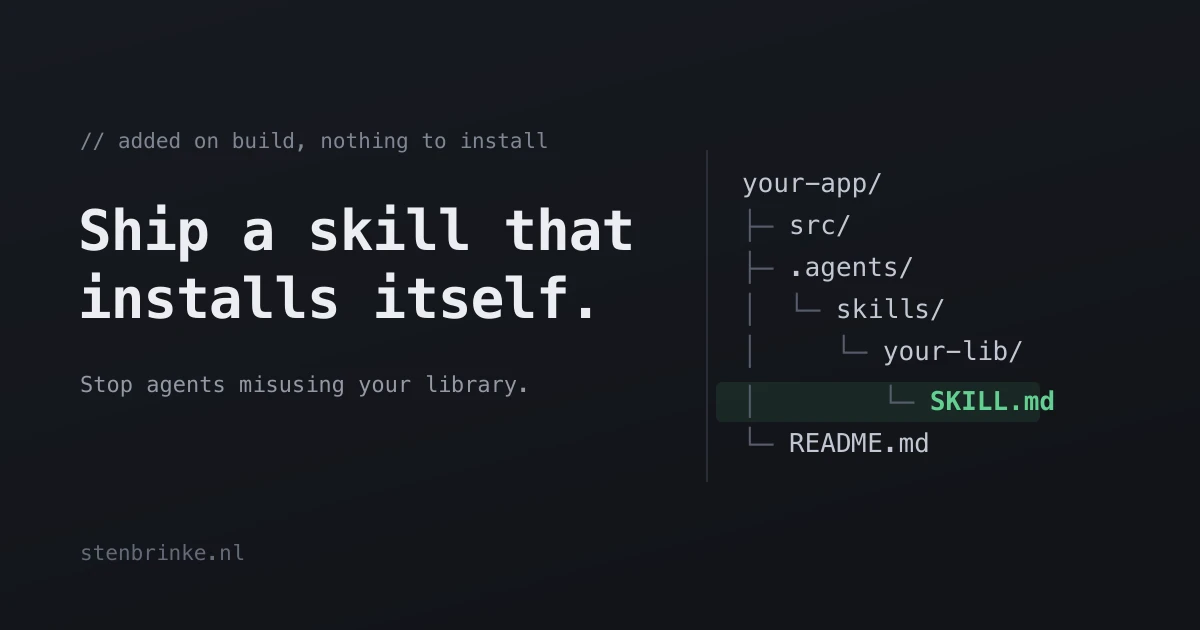
And after building, the consuming repository ends up with something like this:
your-repo/
|- src/
|- .agents/
|  +- skills/
|     +- YOUR_LIBRARY/
|        +- SKILL.md
|        +- .gitignore
+- AGENTS.md
The .gitignore is there on purpose. It keeps the generated SKILL.md out of source control, so consumers don’t get a noisy diff every time the package updates its skill. It can contain the following:
# This directory is generated by YOUR_LIBRARY during build so AI agents can discover the bundled skill.
# Keep this .gitignore checked in so the generated SKILL.md stays out of source control
# and updates to YOUR_LIBRARY don't cause unnecessary changes to your repository.
# To disable the generation of the SKILL.md file, set <EnableEmbeddedAgentSkills>false</EnableEmbeddedAgentSkills> in your project or Directory.Build.props.
*
!.gitignore
If you add this to your package, please use a single opt-out property: EnableEmbeddedAgentSkills, defaulting to true, so a consumer can turn the copying off from their project or Directory.Build.props like this:
<PropertyGroup>
  <EnableEmbeddedAgentSkills>false</EnableEmbeddedAgentSkills>
</PropertyGroup>
Today these properties are ad hoc. Mockly, for example, currently uses <MocklySkill>false</MocklySkill>. If the technique catches on and every library names its toggle differently, consumers will be stuck learning a new property per package. One shared name avoids that, so I’m proposing EnableEmbeddedAgentSkills.
Also, don’t forget to advertise this feature in your README!
Finishing up Link to heading
I am very curious what you think about this approach. I hope it takes off. Perhaps it already has, though I haven’t seen this in the .NET space, except for Aspire and the libraries I mentioned in this post. I am happy to be proven wrong.
If you decide to add this to your project, feel free to contact me and I’ll add your library to this post! Restoring the comment section will still take some more time.
Thanks for reading! I dedicate this post to my soon-to-be-wife, whom I will marry in just a few days on Saturday (2026-06-27). ❤️
Did you enjoy this post?
